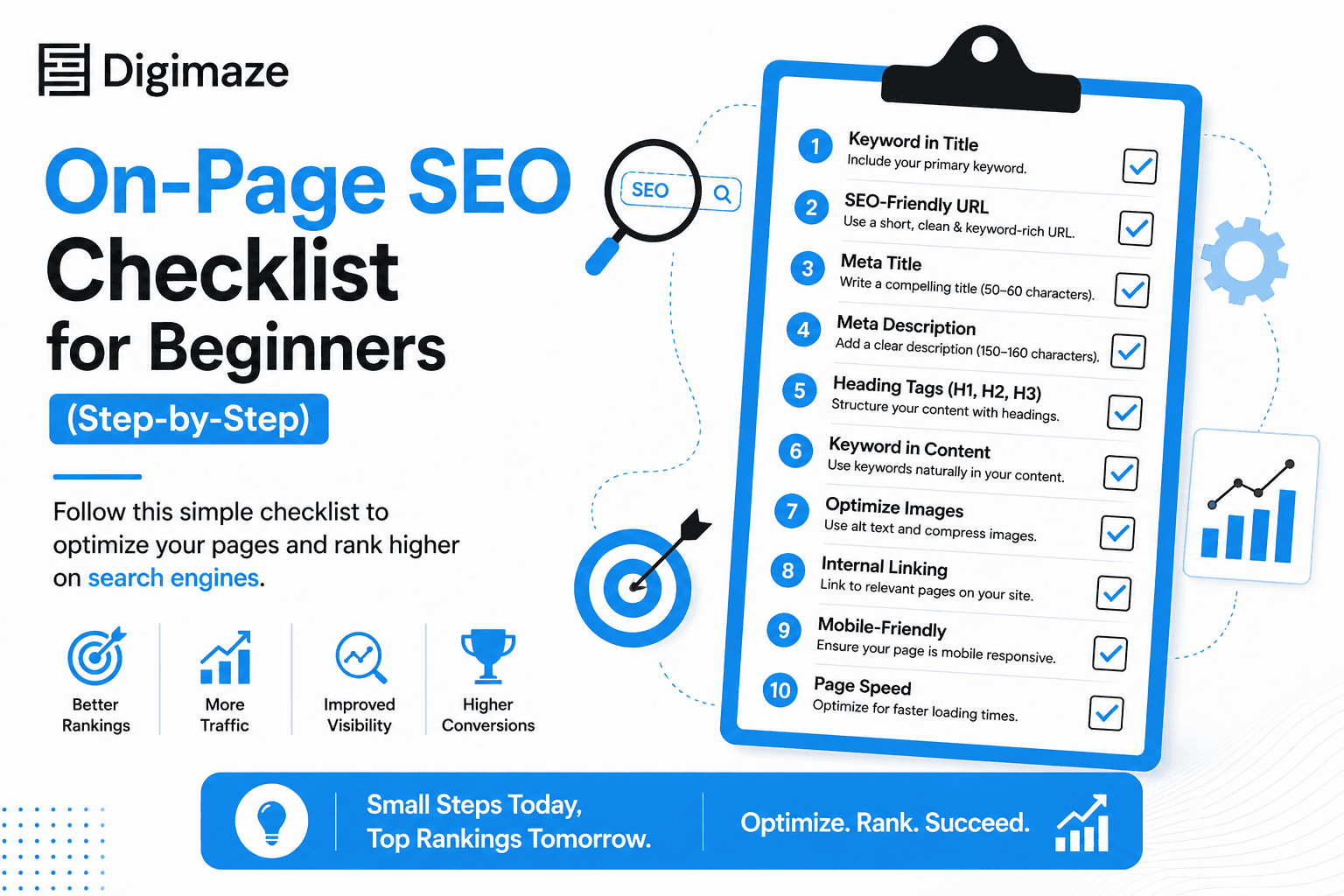
If you’ve just launched a website and are trying to grow your website traffic organically, then understanding SEO is a must. You need to know how search engines work and how real impact comes when your website is optimized properly.
For someone starting new, learning SEO can feel a little technical and quite overwhelming. But the truth is, once you get down to basics and follow a proper set approach, then it becomes manageable. In this guide, we will walk you through a complete on-page SEO checklist where we will cover everything from meta tags optimization to mobile SEO optimization. No matter who you are, whether you are a blogger, small business owner, or digital marketer, this 2026 checklist can be a go-to resource for getting your website ranked on Google.
What is On-Page SEO?
On-page SEO is simply the process of optimizing individual web pages on the website to rank higher in search engines and attract relevant brand-related visitors. All the actions you take on your website to improve the visibility on search engines and reach users when they are looking for the exact thing you sell.
Optimizing pages includes content, titles, meta tags, images, URLs, page structure, and internal links as well. When done correctly, these elements send strong signals to Google that your page is relevant, trustworthy, and valuable to users. Off-page SEO depends on backlinks and external links, but On-page SEO is completely within your control. It's about what's on your website itself.
If you’re just starting out, then mastering these On-page SEO basics is the fastest way to build a strong foundation. Why do all of these matter in 2026? It’s because Google’s algorithms are smarter and they reward pages that are well-structured, mobile-friendly, load fast and are helpful to the users landing on the page.
Why On-Page SEO Matters More Than Ever in 2026
A well-optimized page doesn’t just rank better—it also keeps users engaged, builds trust, and increases conversions. Whether you’re running a blog, business website, or eCommerce store, following a proper seo checklist 2026 ensures long-term growth.
Search engines are evolving; they are becoming more intelligent. You can no longer enough to just add keywords; Google now assesses the usefulness, relevancy, and user-friendliness of your content. You need to go beyond the website in your O-page SEO checklist; it should also include performance, mobile experience, and structure.
In addition to ranking higher, a well-optimized page maintains user engagement, builds confidence, and boosts conversions. Long-term success is ensured by using an appropriate SEO checklist 2026, regardless of whether you're operating an e-commerce store, blog, or company website.
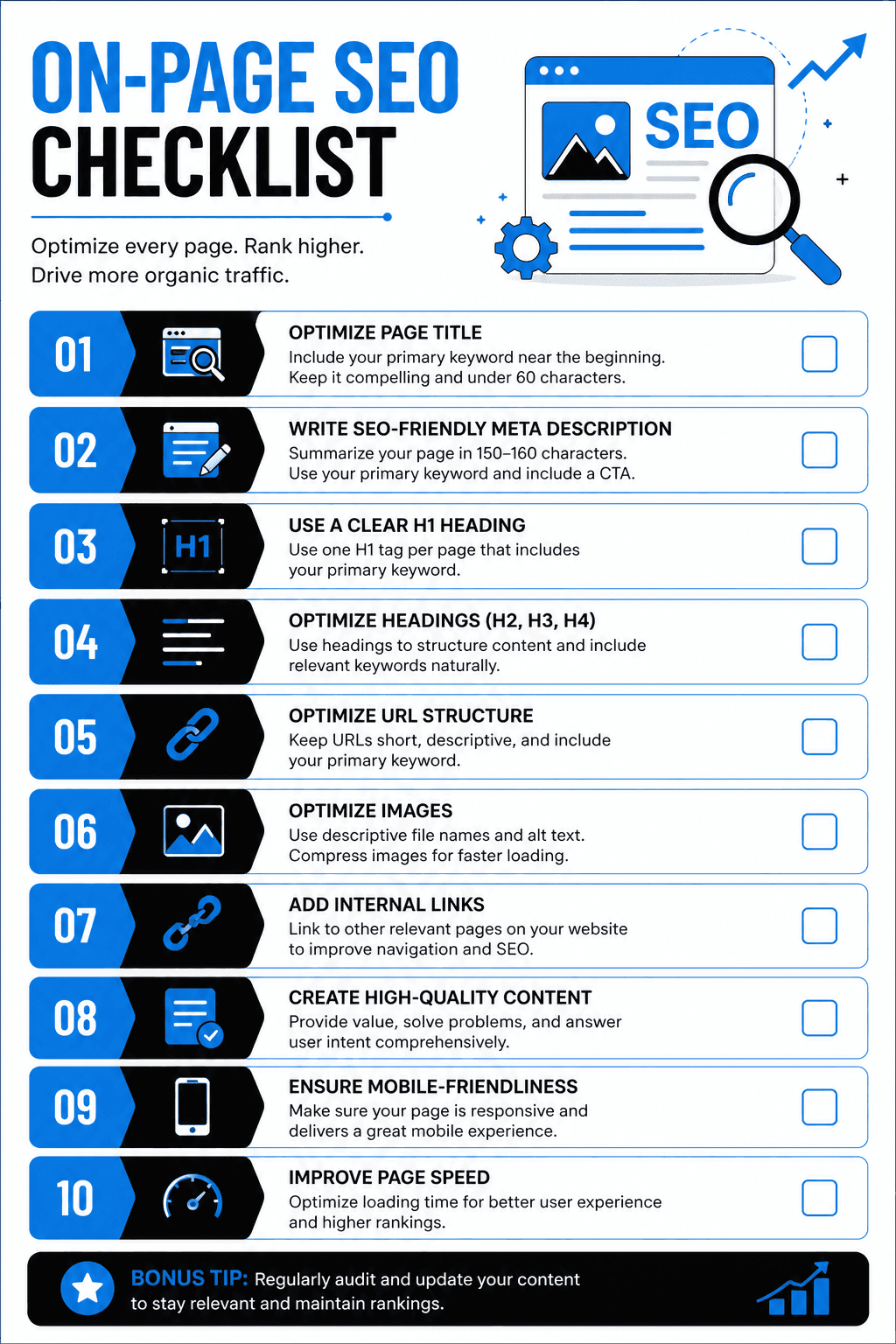
The Complete On-Page SEO Checklist (Step-by-Step)
Let us walk you through a proper step-by-step checklist that you can apply to every page on your website. You can use this SEO optimization checklist for every new page or a blog post you publish. Tick each item off before hitting "publish" and you'll be ahead of most beginners from day one.
Start with the Right Keywords
Finding the right keywords is important because if you want your page to appear in traditional search, then you need to understand what your audience is searching for. Keyword research is the foundation of On-page SEO for beginners.
Keywords are the words and phrases users type into search engines when they are looking for something, any kind of information, products or services. Keywords tell search engines and AI systems what your content covers and need. Your blog posts are where you’ll do most of your keyword targeting and on-page SEO. Use keyword research tools to find keywords with decent volume and low competition.
An AI system breaks down a query into subtopics and looks for content that addresses each one, rather than merely matching keywords. We refer to this as query fan-out. A page is more likely to appear for those fan-out inquiries if it fully addresses a topic and its connected subtopics.
Optimize Your Title and Meta Tags
One of the most important elements in the SEO optimization checklist is Meta tags optimization. The first thing a user sees on a search engine result after their search is called the title tag. You should optimize your title tag clearly to communicate to search systems what your page is about.
Your main keyword should be included in a well-written title while still appearing natural. In the same way, your meta description should encourage readers to click by providing a clear description of the page's content. Although it has no direct effect on rankings, it has a big impact on your click-through rate.
One of the most important ranking markers is your title tag. It's what shows up in Google search results as the blue clickable link. Your click-through rate (CTR) can be significantly increased with effective meta tag optimization.
Structure Your Content Properly
When you’re creating content for a website, structure matters more than most people realize. It’s not just about what you say, but how you present it. If your content feels cluttered or too hard to follow, most people won’t stick around long and this is noticed by search engines too.
Think of headings as signboards. They guide readers through your content and make it easier to skim. Most users don’t read every word; they mostly scan. So when your content is broken into clear sections, it becomes much easier to understand.
A clear structure also keeps people on your page longer. When readers can quickly find what they’re looking for, they’re more likely to stay and explore. This increased time on the page sends a good signal to search engines that your content is useful.
One simple thing that often gets overlooked is the H1 tag. Every page should have one main H1 that clearly tells the reader what the page is about. It’s the headline of your page that sets the context for the entire page.
Additionally, your title tag and H1 are different. The H1 is what users see when they land on your page, but the title tag appears in search results. Both consumers and search engines are more familiar with your information if it is clear and relevant.
Content Quality & Keyword Placement
One of the most powerful ranking elements is still content. But quality is considerably more important than quantity. Your objective when working on on-page SEO fundamentals should be to produce content that actually benefits users.
Questions should be addressed, issues should be resolved, and your content should be clearly valuable. Stay out of unnecessary fluff and concentrate on providing clear, helpful information.
When thinking about how to do on-page SEO, content is king. Google ranks pages that genuinely answer a searcher's question better than anyone else.
Do This | Avoid This |
Use your keyword in the first 100 words | Keyword stuffing (repeating it unnaturally) |
Cover the topic thoroughly (1000+ words for competitive topics) | Ignoring what the top-ranking pages cover |
Use short paragraphs and bullet points | Copying content from other sites |
Include your keyword 2–3 times naturally | Writing without a clear structure |
Keep Your URLs Clean and Simple
Although it's sometimes overlooked, a clear URL structure is an essential part of on-page SEO for beginners. Your URLs must be brief, informative, and simple to navigate. Ideally, they should contain your main keyword and stay clear of unnecessary characters or digits. Keep
URLs short, clean, and keyword-rich. Use hyphens (-) to separate words, never underscores (_). In addition to making your page easier for search engines to understand, a well-structured URL also improves user experience.
Build a Strong Internal Linking Strategy
Internal linking is like creating small paths between different pages on your website. When you connect one page to another, it becomes easier for people to move around and find more helpful information. Instead of leaving your site after reading one page, they can click and explore more.
Search engines also use these links to understand your website better. It helps them find all your pages and see how everything is connected. When you add links to related content, people stay longer on your website and don’t leave quickly. This is a good sign for your website and helps it perform better on search engines.
Optimize Images for SEO
Images make your content look better and more interesting, but they need to be used the right way. If images are too big, your website becomes slow, and people don’t like waiting. So before adding images, you should make them smaller in size (this is called compressing). You can also use formats like WebP to make them load faster.
Search engines can’t “see” images like we do, so we need to help them understand. This is where ALT text comes in. ALT text is a short description of the image. For example, instead of leaving it blank, you can write something like “on page seo checklist diagram”.
It’s also a good idea to rename your image files properly. Instead of using names like “IMG_00234.jpg”, use something clear like “on-page-seo-tips.jpg”. This helps search engines understand your content better.
Many people forget about image SEO, but it’s actually very important. When done right, your images can even show up on Google Image Search and help bring more people to your website.
Improve Page Speed
Website speed is really important. If your website takes too long to load, people won’t wait, and they’ll just leave. And when many people leave quickly, search engines think your site isn’t helpful, which can hurt your rankings.
This is even more important for mobile users, because most people now use their phones to browse. A slow website on mobile can easily make users lose interest.
There are a few simple ways to make your website faster.
Use a reputable hosting company first. Because numerous websites utilize the same server, affordable or shared hosting may cause your website to load slowly. Increased speed is a result of improved hosting.
Second, use something called caching. This helps your website load faster for people who visit again, because some parts of your site are already saved on their device.
Third, clean up your website code. Removing extra spaces and unnecessary code (called minifying) helps your pages load more quickly. There are tools and plugins that can do this for you automatically.
Another helpful thing is using a CDN (Content Delivery Network). This means your website is loaded from a server that is closer to the person visiting it, so it opens faster.
You can also check your website speed using Google PageSpeed Insights. It gives you a report and tells you what needs to be improved.
Simple things like using smaller images, reducing extra code, and choosing the right hosting can make a big difference. A faster website keeps people happy and helps your site rank better on search engines.
Ensure Mobile SEO Optimization
With most users browsing on mobile devices, mobile SEO optimization is no longer optional. Google follows a mobile-first indexing approach, which means it primarily evaluates the mobile version of your website.
Your site should be responsive, easy to navigate, and visually appealing across all screen sizes. A seamless mobile experience not only improves rankings but also enhances user satisfaction.
Make Your Content Easy to Read
Although readability is frequently overlooked in SEO, it is essential for maintaining user engagement. Users are more likely to interact with your page and stay longer when your content is easy to read.
Your article will be easier to read if it has a natural flow, short paragraphs, and straightforward language. This is especially crucial when focusing on customers who are looking for beginner-friendly SEO basics because they like easily comprehensible information.
Common Mistakes to Avoid for SEO Beginners
Even if you follow an on-page SEO checklist, it’s normal to make mistakes in the beginning. That’s part of learning. But knowing what to avoid can make things much easier.
One of the biggest mistakes is writing only for search engines and not for people. Many beginners try to add too many keywords, thinking it will help them rank. But this usually makes the content sound weird and hard to read. Search engines today are smart enough to understand natural writing. So it’s always better to focus on answering real questions in a simple and helpful way.
Another common mistake is ignoring website speed. You might have great content, but if your page takes too long to load, most people won’t stay. For example, a page that loads in 2 seconds will almost always perform better than one that takes 8 seconds, even if the content is similar. That’s why checking your speed using tools like Google PageSpeed Insights is important.
Lastly, many beginners forget about internal linking. This simply means linking one page of your website to another related page. It helps people explore more of your website and also helps search engines understand your content better. It’s an easy thing to do, but it makes a big difference over time.
So instead of trying to do everything perfectly, focus on writing helpful content, keeping your website fast, and connecting your pages properly. That’s a strong start for anyone learning SEO.
Conclusion:
Now you have a clear idea of how On-page SEO works from keyword research and meta tags to image SEO, page speed, and internal linking. At first, it can feel like a lot to take in, and that’s completely normal. The easiest way to handle it is to go one step at a time. You don’t have to do everything perfectly in one go. Just keep improving with every page you create.
Also, remember this. SEO is not about trying to trick search engines. It is about making your content genuinely helpful. If your page answers what someone is looking for in a simple and clear way, you are already doing most of the work right.
If you are not sure where to begin, start with the basics that make the biggest difference. Focus on writing a strong title, creating useful content, and making sure your website works well on mobile. Once that is in place, you can move on to other things like images, speed, and linking your pages together.
It is a good idea to keep a simple checklist and come back to it every time you publish something new. Over time, this habit makes a big difference. You will start noticing better rankings, more traffic, and stronger results without feeling overwhelmed.
Learning on-page SEO is one of the most useful skills if you want to grow online. It gives you control over how your website performs and helps you build steady traffic instead of depending on shortcuts.
SEO will keep changing, but the basics stay the same. Good content, a smooth user experience, and a well-structured website. If you stay consistent and keep improving, you will always be on the right track.

MUMBAI

PUNE